Share


This article was reprinted (with permission) from Kyle Allwine’s LinkedIn account. Read his original post here, which he cites as a blend of Gary Vaynerchuk‘s 64 Pieces of Content in a day. Connect with Kyle at www.linkedin.com/in/kfallwine.
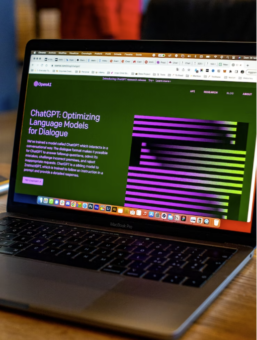
I started playing with ChatGPT when it broke into the public beta and was shocked by the headlines and click-bait titles about the negative impacts of the platform. I see it as a super-Google or as an enhanced digital assistant like Cortana or Siri.
My first few prompts were things like “What is an electric cooperative?” or “What is electrical engineering?” Then, I got more experienced and began to ask more nuanced things like, “What are the best books for a non-engineer to learn electrical engineering?” The results were fascinating.
Chap GPT can spit out a bit of copy easily for a bio or a tweet or about us, but the real nuggets are in the insight and the shortcuts to learning new topics.
A couple of weeks ago, I was at a training with other co-op communicators, and we talked a little bit about the opportunities and pitfalls of using ChatGPT. After the training, I decided to use ChatGPT to see how I could use it to accelerate content creation in the social media space for co-op communicators. (This is a blend of Gary Vaynerchuk‘s 64 Pieces of Content in a day.)
Take an article that you are writing for your statewide magazine or a press release, and ask ChatGPT to make it into an SEO-enhanced article for the web. I needed to put a press release about my co-op’s outage data initiative on our website; here’s my article after a few tweaks.
You can ask AI to turn the blog post into a Facebook post or Instagram post, and it will make you something pretty decent:
“Check out the latest news from Northern Neck Electric Cooperative (NNEC)! We’re excited to announce that we have committed to the Outage Data Initiative Nationwide (ODIN), becoming the first co-op in Virginia to join. As part of our commitment, we’ll be providing real-time, standardized, and transparent power outage data with ODIN.”
Now ask ChatGPT to turn it into a tweet. This was what ChatGPT gave me:
“Northern Neck Electric Cooperative (NNEC) joins the Outage Data Initiative Nationwide (ODIN) to provide real-time and transparent power outage data to members, officials, and the public. This commitment improves emergency response during storms and increases transparency in power outages. #ODIN #energy #transparency” (Note: The tweet already has hashtags.)
Speaking of hashtags, ask it what hashtags you should use on Instagram. It will list hashtags people are using on that specific content channel, so your message reaches people more effectively. For my press release, it suggested: #utilities #reliability #emergencyresponse #smartgrid #digitization #poweroutage #energyefficiency #cooperative.
You can also ask ChatGPT to list relevant hashtags for LinkedIn, TikTok, or other channels.
Ask ChatGPT to make you an email headline or a teaser to get people to open the email. For my press release, ChatGPT suggested: “Revolutionizing Power Outage Data: NNEC joins ODIN to improve emergency response and increase transparency” If I got that subject line in my inbox, I think I would open it. (Then again, I’m biased.) Want other options? Hit the ‘Regenerate’ button.
Take the copy for the blog post and ask it to make it into a Facebook post or an Instagram post, and it will make you something pretty decent: Check out the latest news from Northern Neck Electric Cooperative (NNEC)! We’re excited to announce that we have committed to the Outage Data Initiative Nationwide (ODIN), becoming the first co-op in Virginia to join. As part of our commitment, we’ll be providing real-time, standardized, and transparent power outage data with ODIN.
I don’t naturally write in AP style. Maybe you do, which is great. But if not, you can use ChatGPT to rewrite your article in AP style. You can also edit for grammar or ask ChatGPT to make an article more concise or engaging.
These five steps should have taken you less than 10 minutes, and you turned one original piece of content into five (or more) pieces of content for multiple platforms. If you ever felt like you needed more time in the day, or couldn’t spend enough time to get a LinkedIn started for your co-op or write blogs for your co-op website, now you can.
ChatGPT is another tool in the toolbox like Google, Wikipedia, or Siri. I hope you give it a try, but I do caution you to not just copy and paste. You need to review what it gives you to make sure it is your voice and your co-op’s voice. Starting with an original article helps.

ChatGPT, Bard and other artificial intelligence bots continue to make headlines. Hear what Utility Pioneers think of the new tools…

ChatGPT, Jasper and other writing bots are making headlines. How will artificial storytellers impact the perceived value of utility communicators?…